
Yahoo Mail: Email & Planner
YahooCommunication
4.2595.07K Reviews
- Version
- Varies With Device
- Installs
- 100.00M
- Age Rating
- Everyone
Screenshots

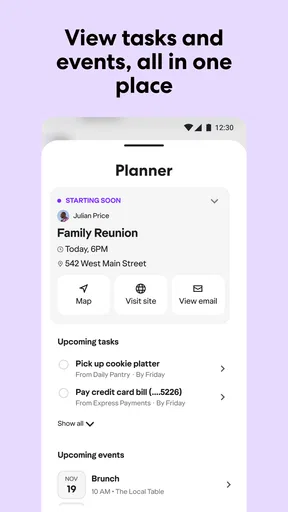
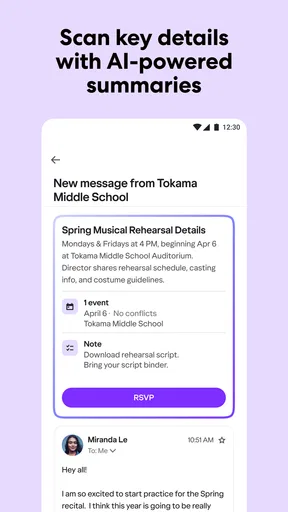
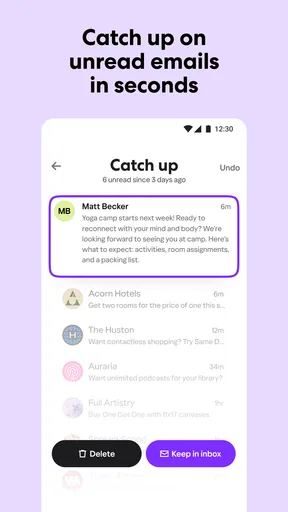
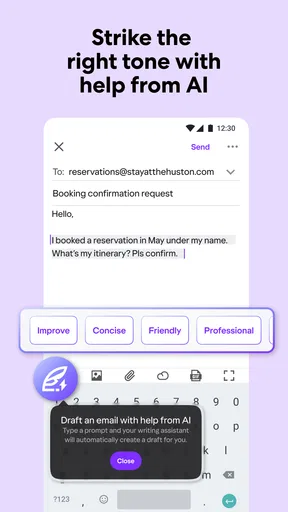
Our Review of Yahoo Mail: Email & Planner
 Analysis by Appyee
When several people share a home, email can quietly become part of the household routine: a school message arrives while someone is cooking, a delivery update needs attention, or a relative asks for a document. I find Yahoo Mail most useful when each person treats it as their own inbox rather than a family noticeboard. That simple boundary makes it easier to coordinate without blurring who received a message or who is expected to act on it.
One device, separate inboxes
A shared phone or tablet can make checking email convenient, but convenience is not the same as shared access. Before adding an account to a device other people use, I would agree on who can open it, whether the device stays signed in, and what to do when a notification appears. A message preview can reveal private details even when nobody intends to read the full email, so turning off or limiting previews may be sensible for a household that passes a device around.
I would also avoid treating one adult’s inbox as the place for everyone’s confirmations and paperwork. Keeping personal correspondence separate reduces the chance that a household member deletes, archives, or replies to something that belongs to someone else. Yahoo Mail is a communication app from Yahoo, and it works best when the account owner remains clear, especially on a device used by more than one person.
Setting it up around real routines
For a shared-use device, I’d start with the account that genuinely needs to be checked there, then make a deliberate choice about notifications. A busy household may benefit from alerts for time-sensitive messages, but constant alerts can interrupt meals, homework, and work. I prefer to keep the inbox available for a quick check while allowing the people using the device to agree on when notifications should be acted on.
It helps to decide early which messages deserve a reply and which only need to be passed along. For example, a delivery update might matter to whoever is home, while a personal appointment confirmation should remain with its recipient. That distinction is not a special family feature; it is a small habit that prevents an email app from becoming an accidental source of confusion.
Coordination without mixing responsibilities
In an ordinary day, one person might search for a school event message while another checks a receipt or travel confirmation. Search is useful here because it can save a long scroll through an inbox, but I still recommend searching with a clear clue, such as the sender or a distinctive word in the subject. That is often quicker than trying vague terms and opening several unrelated messages.
For household tasks, I’d forward or discuss the relevant information rather than hand over an unlocked inbox. That keeps the coordination focused on the one message that matters. It also avoids the awkward situation where someone notices a private email while looking for a practical detail. If an entire household needs a shared calendar or task list, a dedicated tool for that purpose may be a better fit than trying to make email carry every responsibility.
Age, trust, and account ownership
The app’s age rating is Everyone, but that does not mean every email account should be shared without thought. Younger users may need help recognizing suspicious messages, deciding which attachments are safe to open, and understanding that a convincing-looking request can still be misleading. I’d teach those habits directly instead of assuming a spam filter will catch every unwanted message.
Yahoo Mail has a 4.3 average from around 8.5 million ratings, and it has been around since 2010. That kind of broad use can make it familiar to people who already have a Yahoo address, but it does not remove the need for sensible account boundaries. I would choose it for an individual who wants a straightforward inbox, not as a substitute for supervision or a purpose-built family management system.
What it feels like beside other email apps
Compared with the standard mail app that comes with a phone, Yahoo Mail can feel like a more dedicated place to manage an inbox, particularly if the person already uses a Yahoo account. Compared with other major email services, the everyday job is much the same: read, search, reply, and organize messages. The better choice depends less on a universal winner and more on where your existing accounts live, which interface you find comfortable, and whether you want email tied closely to another service you already use.
I would skip it if your household’s main need is shared planning, task assignment, or a common family inbox with clear roles. Email can pass information around, but it is easy for responsibility to become fuzzy when several people rely on one account. If you mostly want a personal address and an uncomplicated way to keep up with messages, it is a more natural match.
Who should consider it
Yahoo Mail is free to download, rated for Everyone, and has more than 100 million installs. That makes it an easy option to consider if you want a familiar communication app without paying to start. In-app purchases range from $0.99 to $119.99 per item, so I would check the purchase details before choosing anything optional rather than assume every feature or upgrade is included at no cost.
For someone setting up email on a household device, I’d test the routine before relying on it for important coordination: add only the account that belongs there, adjust notifications, search for a known message, and make sure everyone understands who is responsible for replying. If the arrangement feels intrusive or confusing, keeping email on each person’s own device is likely the better solution.
A practical household verdict
Ever feel like your inbox is a chaotic jungle? Well, I’ve been there, and after rummaging through what seems like a million email apps, I’ve landed on Yahoo Mail. Let’s dive into why this app might just be the trusty companion you need to tame that digital clutter.
First Impressions Matter
So, first things first, installing Yahoo Mail was a breeze. Within seconds, I was in, and boom! A fresh and vibrant interface greeted me. The colors are easy on the eyes, and the layout is intuitive. It’s like Yahoo knew I didn’t have time to figure out a complex maze, and they delivered simplicity at its best.
Swipe, Tap, Done!
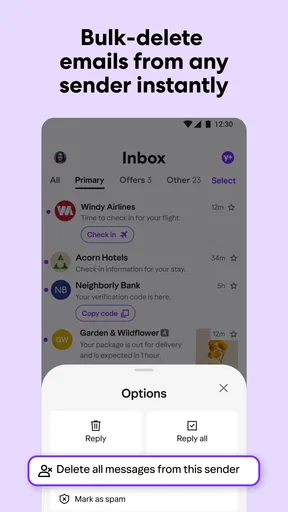
One of the coolest features? The swiping gestures. Let’s be real, who has the time to open each email? With a simple swipe to the left, I can delete, archive, or mark emails as read. It’s like having a magic wand that makes unwanted emails disappear into thin air. Plus, the app is super responsive, so no awkward pauses or glitches to slow me down.
Customization at Your Fingertips
Now, I’m a sucker for anything customizable. With Yahoo Mail, I could tweak my settings to make it truly mine. You can choose themes, adjust notifications, and even arrange your inbox to prioritize what’s important. It’s like having a personal assistant that knows your style. Who wouldn’t want that?
The Mighty Search Bar
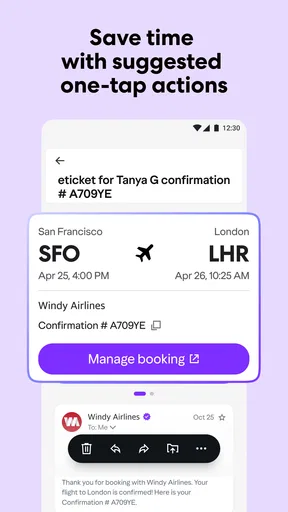
The search functionality deserves a standing ovation. We’ve all experienced the nightmare of scrolling through endless emails trying to find that one message. But with Yahoo’s powerful search bar, I can find emails in a jiffy. Whether it’s a forgotten password email or a flight booking, it’s all just a quick search away.
Attachments Made Easy
Let’s talk attachments. Yahoo Mail has upped its game here. You can preview attachments without downloading them, which is a lifesaver when you’re on the go. Plus, the integration with cloud services means your files are always accessible, no matter where you are. It’s like having a mini office in your pocket.
Security and Privacy
In today’s world, security is non-negotiable. Yahoo understands this, offering multiple layers of security features. From account key logins to spam filters, they’ve got your back. I felt safe knowing my personal information was in good hands, and that’s something I can’t say for every email app out there.
Ads and Premium Options
No sugarcoating here—the free version does come with ads. But honestly, they’re not as intrusive as you might think. If you’re like me and prefer a seamless experience, upgrading to the premium version might be worth considering. It’s ad-free, faster, and offers more storage. Totally up to you and your needs.
Final Thoughts
All in all, Yahoo Mail has impressed me with its simplicity, efficiency, and functionality. It’s more than just an email app; it’s a tool that makes managing my digital life a breeze. Whether you’re an email ninja or just someone trying to keep things organized, Yahoo Mail might just be the app you didn’t know you needed.
So, if you’re ready to leave the chaos behind and embrace a more organized life, why not give Yahoo Mail a shot? Who knows, it might just become your new favorite app.
Privacy and Permissions
See what permissions an app requests and how it handles your data.
- Identity
- find accounts on the device, add or remove accounts
- Contacts
- find accounts on the device, read your contacts
- Location
- approximate location (network-based), precise location (GPS and network-based)
- Photos/Media/Files
- read the contents of your USB storage, modify or delete the contents of your USB storage
- Storage
- read the contents of your USB storage, modify or delete the contents of your USB storage
- Camera
- take pictures and videos
- Wi-Fi connection information
- view Wi-Fi connections
- Other
- view network connections, create accounts and set passwords, full network access, run at startup, control vibration, prevent device from sleeping
Verdict
Strengths of Yahoo Mail: Email & Planner
- User-friendly interface enhances email management.
- Supports multiple accounts for easy switching.
- Robust spam filter reduces unwanted emails.
- Customizable themes for personalized experience.
- Seamless integration with other Yahoo services.
Limitations of Yahoo Mail: Email & Planner
- Ads can be intrusive in the free version.
- Limited storage compared to competitors.
- No offline mode for accessing emails.
- Push notifications can be delayed.
- Lacks advanced email organization features.
Other Releases by Yahoo
View All
Yahoo Sports: Scores and News
Sports4.7

Yahoo News: Daily News For You
News & Magazines4.5

Yahoo Finance: Stocks & News
Finance4.6

Vetted AI Smart Shopping Agent
Shopping4.3
Similar Picks in This Category
View All
Google Messages
Google LLC4.6

Gmail
Google LLC4.1

Google Meet
Google LLC4.4

Google Chrome
Google LLC4.1

WhatsApp Messenger
WhatsApp LLC4.6

Carrier Services
Google LLC4.2
Frequently Asked Questions
What features does Yahoo Mail offer that set it apart from other email apps?
Yahoo Mail provides several unique features, including customizable themes, a built-in calendar, and an intuitive interface for managing subscriptions and newsletters. Its integration with Dropbox and Google Drive allows for easy attachment sharing. Additionally, Yahoo Mail offers 1TB of storage, ensuring you never run out of space for your emails.
Is Yahoo Mail secure, and what measures does it take to protect user privacy?
Yes, Yahoo Mail is committed to user security and privacy. It uses SSL encryption for all data transfers and offers two-step verification for an added layer of security. Yahoo also has a dedicated team to monitor and prevent unauthorized access, ensuring that your personal information remains safe.
Can I use Yahoo Mail offline, and how does it handle email synchronization?
Yahoo Mail does not support offline access directly within its app. However, you can use third-party email clients that support offline mode and IMAP synchronization, allowing you to read, compose, and manage emails offline, with changes syncing automatically once you're back online.
Does Yahoo Mail support multiple accounts, and how can I manage them within the app?
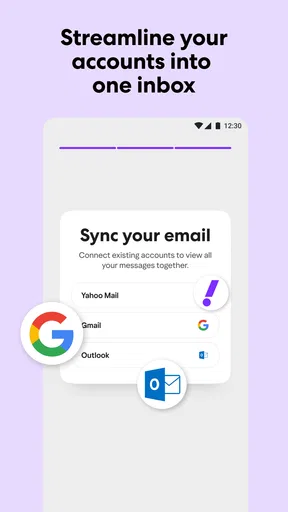
Yes, Yahoo Mail supports multiple accounts. You can easily add multiple Yahoo accounts and even link other email services like Gmail, Outlook, or AOL within the app. This allows you to manage all your emails from one place, switch between accounts seamlessly, and streamline your email workflow.
Are there any ads in Yahoo Mail, and can they be removed?
Yahoo Mail is ad-supported, meaning you will see ads within the app. However, you can opt for Yahoo Mail Pro, a subscription service that removes ads for a cleaner and faster experience. Yahoo Mail Pro also offers priority customer support, enhancing the overall user experience.
